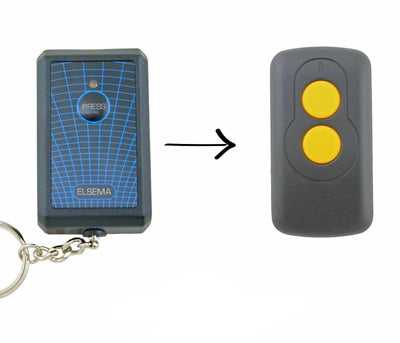

How to Program an Elsema Key301 Compatible Remote (FMT201, FMT301, FMT401)
Elsema Key301 compatible remotes are coded with 12 dip switches. Copy the pattern from your original remote, close both and test. If it does not work, set the pattern in reverse.
- The new compatible remote
- Your existing Elsema remote
- A small Phillips screwdriver
- A pen or toothpick to move the dip switches
Elsema 27.145 MHz remotes use a 12-switch fixed code. Programming means setting the new remote's switches to match your original. There is a twist: on some units the switch bank is mounted in reverse, so a mirrored pattern may be needed.
Applies to
Compatible 27.145 MHz replacement remotes for the Elsema Key301 handset used with FMT201, FMT301 and FMT401 systems.
Before you start
Work on a table under good light. Take a photo of the original remote's switches so you can check your work.
Independent programming guide for compatible replacement remotes. Brand and model names belong to their respective owners.
Step-by-step instructions
Open your original remote
Remove the battery cover on your existing Elsema remote to reveal the row of 12 small switches.
Open the new remote
Unscrew the back of the new remote to reveal its matching row of 12 switches.
Copy the switch positions
Set each of the 12 switches on the new remote to the same position as the corresponding switch on the old remote, working from switch 1 to switch 12.
Close and test
Refit both covers and press the button on the new remote. The door should operate.
If it does not work, reverse the order
Set the new remote's switches in reverse: the position of switch 12 on the old remote becomes switch 1 on the new one, switch 11 becomes switch 2, and so on. Close and test again.