

How to Program a Doorworks DC800N / DC1200N Compatible Roller Door Remote
Pair a compatible Doorworks DC800N / DC1200N roller door remote: hold P and + until LED 7 flashes, hold + until it glows, press the remote twice, then press P to save.
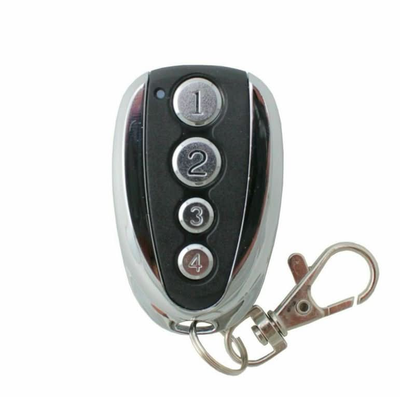
- The new compatible remote with its battery fitted
- Access to the P and + buttons and the LED row on the motor
Doorworks DC800N and DC1200N roller door motors are programmed through the P and + buttons and a row of numbered LEDs on the motor. LED 7 is the one to watch during remote learning.
Applies to
Compatible replacement remotes for Doorworks DC800N and DC1200N roller door and gate motors.
Before you start
Find the P and + buttons and the numbered LED row on the motor. Stand where you can see LED 7 while you press the remote.
Independent programming guide for compatible replacement remotes. Brand and model names belong to their respective owners.
Step-by-step instructions
Enter setup
Press and hold the P and + buttons on the motor at the same time until LED 7 flashes, then let go of both.
Select remote learning
Press and hold + on the motor until LED 7 glows strongly, then release.
Press the new remote twice
Press the button on the new remote that you want to code to the door two times. LED 7 flashes to confirm. For another handset, hold + again until LED 7 glows, then press that remote twice. Repeat for each remote.
Save and exit
Press P on the motor to end setup, then test the remote.
![[2 Pack] Doorworks Roller Door DC800N/DC1200N Compatible Garage/Gate Remote Control - Battery Mate](http://www.batterymate.co.nz/cdn/shop/products/2-pack-doorworks-roller-door-dc800ndc1200n-compatible-garagegate-remote-control-668401.png?v=1742964918&width=400)