

How to Program a Dominator DOM501 / DOM502 / DOM505 or B&D TX315 / MPC3 Compatible Remote
Program a compatible Dominator DOM501 / DOM502 / DOM505 or B&D TX315 / MPC3 / MPC4 remote: hold the blue Door Code button on the motor, press the remote twice for two seconds each, release and test.
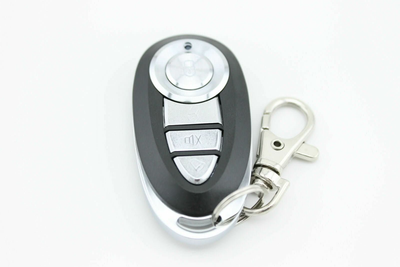
- The new compatible remote with its battery fitted
- Access to the Door Code button on the motor or SW1/SW2 on the receiver
- A pin (only if pairing to a gate through an original remote)
- Dominator Compatible Remote | DOM501 DOM502 DOM505 YBS2 YBS4 Gate/Garage Door
- [2 Pack] Dominator Compatible DOM501 DOM502 DOM505 YBS2 YBS4 Gate/Garage Door Remote
- B&D BND MPC3 MPC4 TX315 Garage Door Remote CONTROL-A-DOOR / Dominator DOM503 DOM401
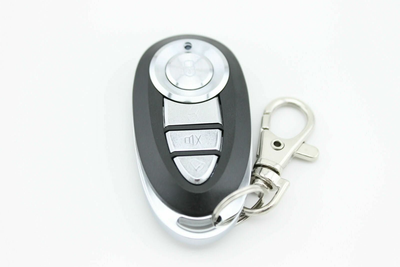
- [2 Pack] B&D BND MPC3 MPC4 TX315 Garage Door Remote CONTROL-A-DOOR / Dominator DOM503 DOM401
Dominator and matching B&D Control-A-Door openers learn a new remote through the blue Door Code button on the motor, or SW1/SW2 on a stand-alone receiver. Hold the button, press the remote twice for two seconds each, release and test.
Applies to
Compatible replacement remotes for the Dominator DOM501, DOM502, DOM505, DOM503, DOM401, YBS2 and YBS4 handsets, and the B&D TX315, MPC3 and MPC4 handsets used with Control-A-Door openers.
Before you start
Locate the blue Door Code button on the motor. On some models it sits under a plastic cover. For a gate where the receiver is out of reach, see the FAQ for pairing through your original remote.
Independent programming guide for compatible replacement remotes. Brand and model names belong to their respective owners.
Step-by-step instructions
Uncover the motor buttons
Some ATA motors have a plastic cover over the buttons. Remove it so you can reach the blue Door Code button (SW1 or SW2 on a separate receiver board).
Hold the Door Code button
Press and hold the blue Door Code button on the motor. Keep it held down until step 5.
Press the new remote for 2 seconds
Press the button on the new remote that you want to operate the door and hold it for 2 seconds, then release it for 2 seconds.
Press the same button again
Press the same remote button again for 2 seconds. This second press confirms the code.
Release the Door Code button
Let go of the Door Code (or SW) button on the motor.
Test the door
Press the programmed button on the new remote. The door should operate. Repeat for any other remotes.
![[2 Pack] B&D BND MPC3 MPC4 TX315 Garage Door Remote CONTROL-A-DOOR / Dominator DOM503 DOM401 - Battery Mate](http://www.batterymate.co.nz/cdn/shop/products/2-pack-bd-bnd-mpc3-mpc4-tx315-garage-door-remote-control-a-door-dominator-dom503-dom401-341538.png?v=1742965173&width=400)
![[2 Pack] B&D BND MPC3 MPC4 TX315 Garage Door Remote CONTROL-A-DOOR / Dominator DOM503 DOM401 - Battery Mate](http://www.batterymate.co.nz/cdn/shop/products/2-pack-bd-bnd-mpc3-mpc4-tx315-garage-door-remote-control-a-door-dominator-dom503-dom401-248760.png?v=1742965178&width=400)