
How to Program a Boss / Steel-Line BHT4 2211-L Compatible Garage Remote
Pair a compatible Boss or Steel-Line BHT4 / 2211-L remote in a few minutes: press the Learn / Code Set button on the motor, press the remote once, press Learn again and test.
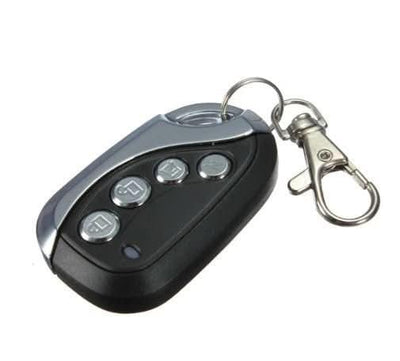
- The new compatible remote with its battery fitted
- Flat screwdriver (wall-mounted motors, to release the faceplate)
- A small pointed object such as a pen or paperclip (ceiling motors)
- Step ladder if the motor is on the ceiling
Boss and Steel-Line openers learn a new remote through a Learn / Code Set button. The button is behind the grey faceplate on wall-mounted units and inside a small hole on the back of ceiling-mounted motors.
Applies to
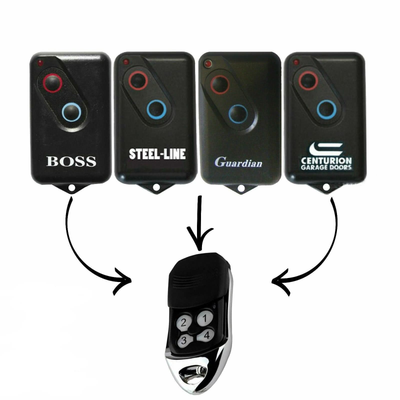
Compatible replacement remotes for Boss and Steel-Line BHT4, HT4 and 2211-L handsets, including Boss Guardian openers that use BOL4, BOL6 and BRD1 remotes.
Before you start
Work out whether your motor is wall or ceiling mounted, since the way you reach the learn button differs. Have the remote in your hand before you press the learn button.
Independent programming guide for compatible replacement remotes. Brand and model names belong to their respective owners.
Step-by-step instructions
Get to the learn button
Wall-mounted motor: slide a flat screwdriver into the small slot at the bottom centre of the grey faceplate and lift it off. Ceiling motor: find the small Radio Set / Code Set / Learn hole, usually on the rear of the motor.
Press the learn button once
Wall unit: press the small black Learn / Code Set button once. Ceiling motor: push a pointed object into the learn hole and press once. A light comes on to show the motor is ready for a remote.
Press the new remote once
Press and release the button on the new remote that you want to operate the door. The learning light blinks to confirm the code has been stored.
Press the learn button again
Press and release the Learn / Code Set button once more to leave learn mode.
Test and close up
Press the remote to check the door operates, then refit the faceplate on a wall-mounted unit.