

How to Program a Marantec Comfort / Digital D302, D304, D313 Compatible Duplicator Remote
Programming a compatible Marantec D302, D304 or D313 duplicator remote: clear the factory code, hold the two remotes together and copy the signal from your original. About five minutes, no tools.
- Your original, working Marantec remote
- The new compatible remote with its battery fitted
- No tools required
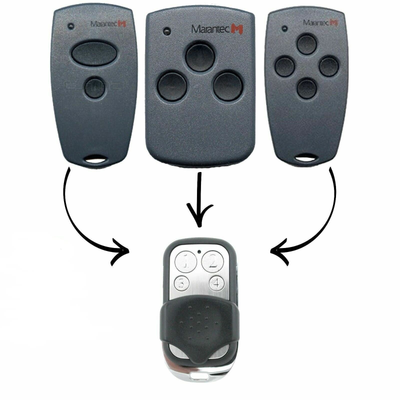
This compatible Marantec remote is a duplicator. Rather than pairing with the motor, it copies the code from your existing working remote in two short stages: clear the factory code, then copy.
Applies to
Compatible replacement remotes for Marantec Comfort 220, 225, 252 and 270 openers and the Digital D302, D304 and D313 handsets.
Before you start
You need your original remote and it must still open the door. Button markings vary between batches; the top two buttons are the ones closest to the LED.
Independent programming guide for compatible replacement remotes. Brand and model names belong to their respective owners.
Step-by-step instructions
Hold the top two buttons
Press and hold the two buttons closest to the LED on the new remote at the same time (marked as lock/unlock, 1 and 2, or up/down arrows). After a few seconds the LED flashes, then goes out.
Press the second button three times
Keep holding the first button (lock, up or 1). Quickly release the second button (unlock, down or 2) and press it three times. The LED flashes again to show the remote is ready to copy.
Release and check
Let go of all buttons, then quickly press any button. If the LED does not light, as though the battery were flat, the factory code has been cleared.
Put the remotes together
Hold the new remote and your original remote together. Try head to head first; if the copy does not take, try back to back or side by side.
Enter learn mode on the new remote
Press and hold the button on the new remote that you want to operate the door. The LED flashes quickly and goes out, which means it is in learn-code mode. Keep holding.
Send the code from the original
While still holding the new remote, press and hold the button that operates your door on the original remote. When the LED on the new remote flashes steadily, the code has copied.
Test
Release all buttons and press the programmed button on the new remote. The door should respond. Repeat steps 5 and 6 for any other buttons.
![[2 Pack] Marantec D302/D304/D313 Compatible Garage/Gate Remote Digital/Comfort Clone - Battery Mate](http://www.batterymate.co.nz/cdn/shop/files/2-pack-marantec-d302d304d313-compatible-garagegate-remote-digitalcomfort-clone-754767.png?v=1742965826&width=400)